What’s a raster?
🕐 Read time: 4 min
Written By Clark Yuan
Last updated 3 months ago
Overview
If you work with drone imagery, aerial photography, or satellite data, you are already working with rasters — you may just not have called them that. This article explains what a raster is, how it is structured, what an RGB GeoTIFF is, and how raster data works alongside point clouds in Stitch3D.
What is a raster?
A raster is a grid of equally sized pixels arranged in rows and columns, where each pixel contains a value representing information such as color, elevation, or temperature. Think of it like a digital photograph: zoom in far enough and you see individual squares of color. Each square is a pixel, and each pixel stores a value.
The key characteristic of a raster is that it divides a continuous surface into a regular grid. The size of each pixel — known as the Ground Sampling Distance (GSD) — determines the resolution of the image. A smaller GSD means higher resolution and more detail; a larger GSD means lower resolution and less detail. This is why a high-resolution orthomosaic looks sharp and a low-resolution one looks blocky. It comes down to how many pixels are used to represent the same area on the ground.
Unlike a point cloud, which stores individual georeferenced points in three-dimensional space, a raster is a two-dimensional grid draped over a geographic area. Each pixel knows its location and its value. Together, millions of pixels form a continuous, spatially accurate image of a site.
What are raster bands?
A band is a single matrix of pixel values. A raster with multiple bands contains multiple spatially coincident matrices of pixel values representing the same spatial area. Each band captures a different type of information about the same location.
The most common example is an RGB image, which has three bands:
When these three bands are combined and displayed together, your eyes interpret them as natural color and the image looks like a photograph of the real world. This is called an RGB composite.
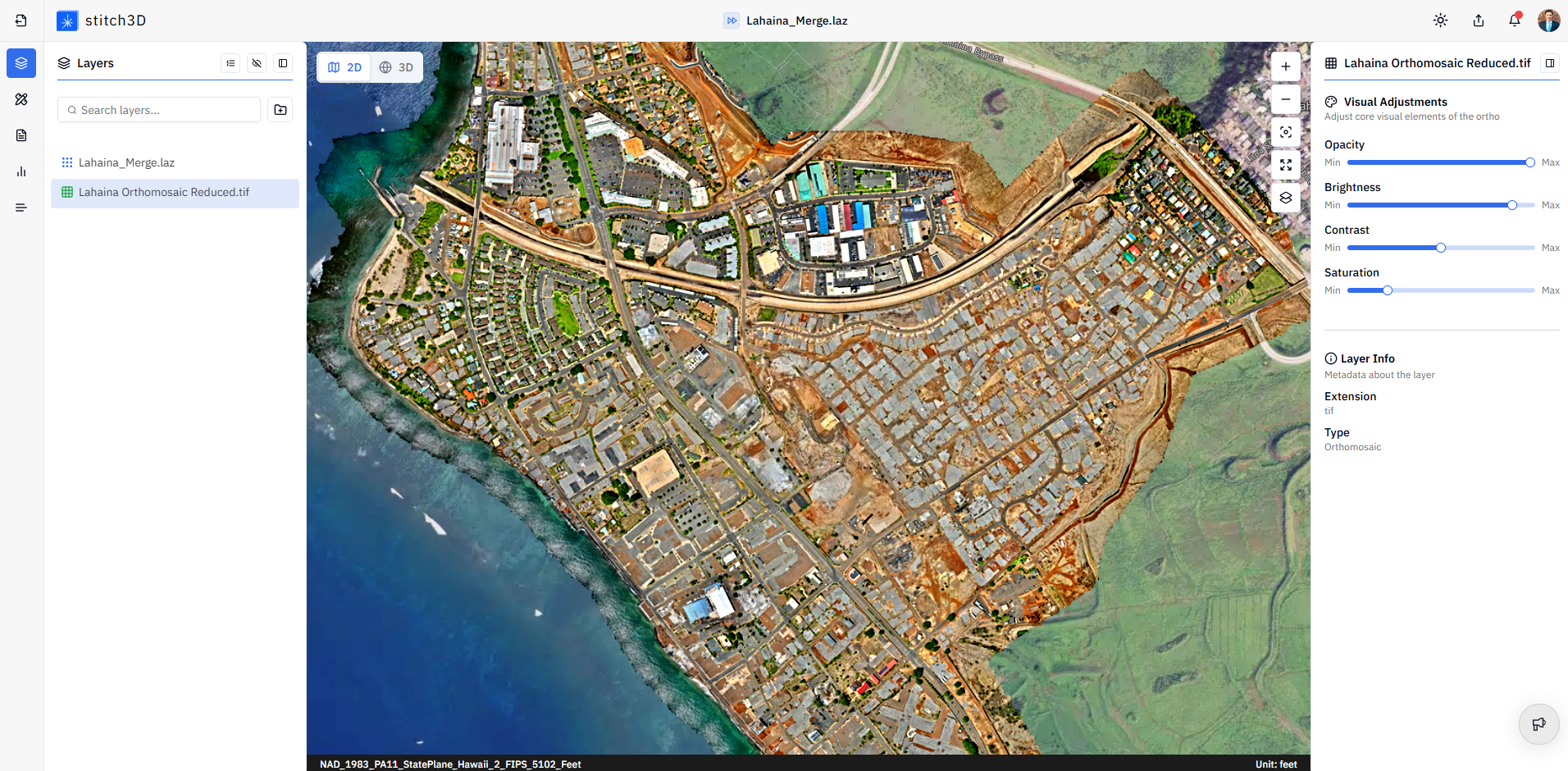
Other raster types use different bands. A digital elevation model (DEM) is a single-band raster where each pixel contains one value representing surface elevation. Multispectral imagery adds bands beyond visible light (e.g., near-infrared, thermal, and others) for scientific and analytical applications.
ℹ️ Note: Stitch3D currently supports RGB GeoTIFF rasters only. Single-band rasters, DEMs, thermal imagery, and multispectral files are not supported at this time.
What is a GeoTIFF?
A GeoTIFF is a standard raster file format that embeds geographic location information such as a coordinate reference system, pixel size, and spatial extent directly into the image file. This is what makes a GeoTIFF different from a regular JPEG or PNG: it knows exactly where on Earth it belongs.
When you upload a GeoTIFF to Stitch3D, this embedded location data is used to place the image accurately on the map. In a Georeferenced Project, the file is also validated against the Project CRS and reprojected if needed, ensuring your raster aligns precisely with your point cloud and GCP data.
Rasters vs. point clouds in Stitch3D
Point clouds and rasters are complementary datasets. They are often captured in the same flight or field session and used together in the same Project.
💡 Tip: Upload both an orthomosaic and a point cloud to the same Project for the most complete client deliverable. The raster gives clients a familiar photographic reference; the point cloud gives them interactive 3D data they can measure and navigate.
Related articles
Raster guide: orthomosaics, DEMs, DTMs, and more