Add a white labeled custom branding to your account
🕐 Read time: 2 min
Written By Clark Yuan
Last updated 4 months ago
Overview
With white labeled custom branding, you can customize your public facing viewer to help establish your professional brand with clients.
💡 This feature is available to customers on Stitch3D Pro or Enterprise Plans.
How to set up white labeled accounts
Log in to your Stitch3D account.
Click your avatar (profile picture or initials) in the top-right corner.
Click Viewer Settings.
Click Upload Logo under the White Label Viewer section
Select an image (jpg, png)
Crop as needed
Click Save
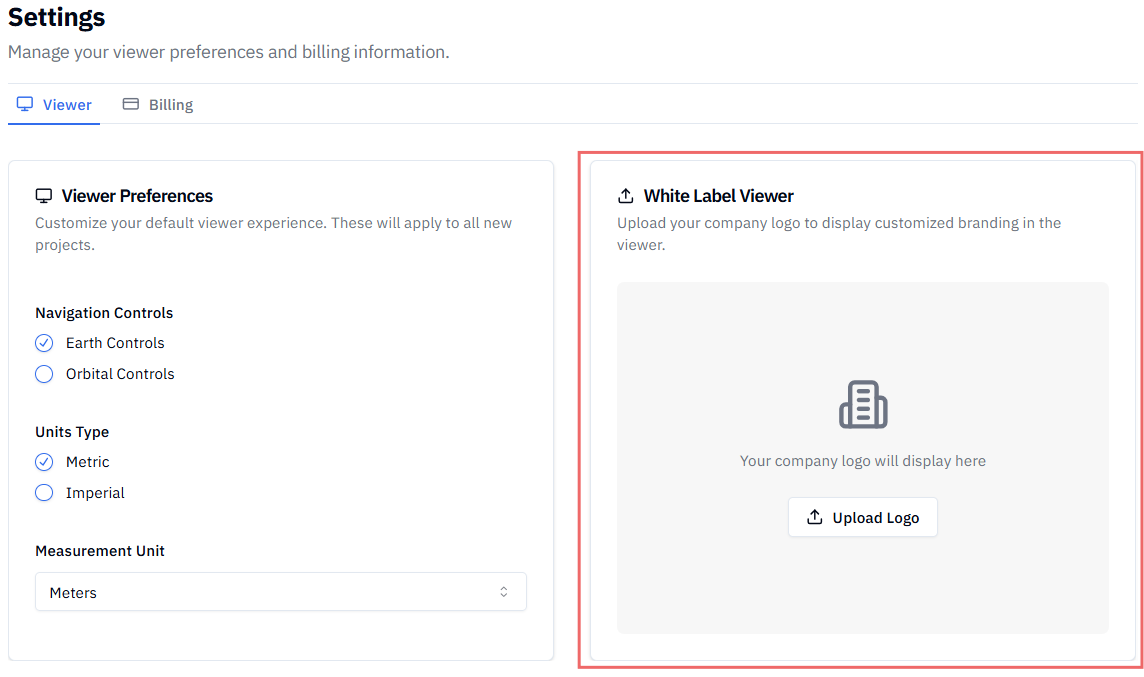
✅ Confirmation: Your custom logo will now appear in the top-left corner of the viewer for all Projects.
ℹ️ Note: Your professional branding will be included every time you share files and projects from Stitch3D using a public link or email invite.
Related articles
How to change or cancel your Stitch3D subscription
→ 🔗 How to use the multiplayer viewer
→ 🔗 How to share my Project